Cloud vs. On-Premise: What Business Owners Get Wrong
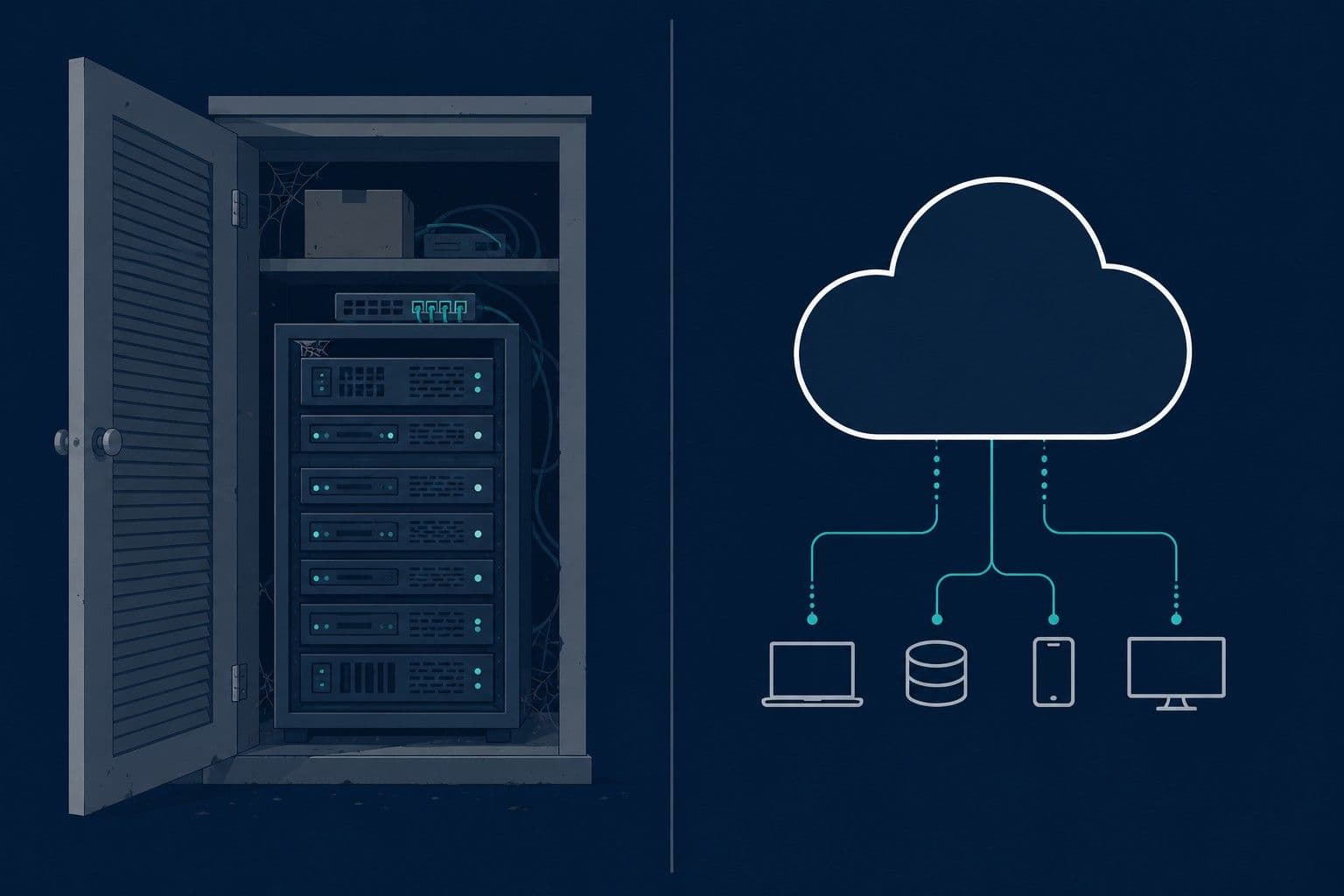
Cloud or On-Premise: The Question Most Business Owners Are Asking Wrong
"Should we move to the cloud?" is one of the most common IT questions business owners ask.
It's also often the wrong question.
Before you decide where your IT should live, there's a more pressing question: do you actually know what you currently have, where it lives, and who controls it?
Most businesses don't. And that gap causes real problems — not when you're making infrastructure decisions, but when something goes wrong and you need to explain what your setup looked like before it happened.
What These Terms Actually Mean
Let's start simple.
On-premise means your IT infrastructure — servers, software, storage — lives in your physical location or on equipment you own. You (or your IT provider) are responsible for maintaining it.
Cloud means your infrastructure lives on someone else's servers, accessed over the internet. You pay a monthly fee and the provider handles the underlying hardware.
Most small businesses are already using both without realising it. Your email is probably cloud (Google Workspace or Microsoft 365). Your website is probably cloud (hosted on a server somewhere). You might have a local server or shared drives on-premise.
The cloud vs. on-premise debate is rarely an either/or choice. It's usually about which parts of your setup live where — and whether you know the answer.
The Part Nobody Talks About
Here's the problem with most cloud vs. on-premise conversations: they assume you already have a clear picture of your current setup.
Most businesses don't.
Ask yourself these questions:
- Do you know which of your systems are cloud-based and which are on your own equipment?
- If your IT provider changed tomorrow, could you tell the new one exactly what you have?
- If your insurer asked whether your data is stored locally or in the cloud, could you answer confidently?
- If something went wrong last month, could you prove what your setup looked like before it happened?
For most small business owners, the honest answer to at least one of those is no. Not because they're careless — because nobody ever laid it out for them clearly.
That gap matters more than the cloud vs. on-premise decision itself.
Cloud vs. On-Premise: The Real Differences
With that context in mind, here's what actually separates the two:
Ownership and control. On-premise means you own the hardware and have direct control over it. Cloud means you're renting access to someone else's infrastructure. Neither is inherently better — it depends on whether you have the expertise and budget to manage what you own.
Cost structure. On-premise typically means higher upfront costs (buying hardware) with lower ongoing costs. Cloud means little to no upfront cost but ongoing monthly fees that continue indefinitely. Over five or more years, on-premise can be cheaper — but that calculation only works if maintenance costs stay manageable.
Responsibility. With cloud, the provider handles hardware maintenance, security patches, and uptime. With on-premise, those responsibilities fall to you or your IT provider. For most small businesses without dedicated IT staff, cloud reduces the burden significantly.
Access. Cloud systems are accessible from anywhere with an internet connection. On-premise systems typically require being on-site or using a VPN. For businesses with remote staff, this difference is significant.
Visibility. This is the one most people overlook. With cloud systems, what your setup looks like can change without you noticing — provider updates, configuration changes, new services added or removed. With on-premise, changes are usually more deliberate and visible. Either way, if you're not actively tracking what you have, you can lose sight of it.
When Cloud Makes Sense
Cloud is usually the right choice for small businesses when:
- You don't have dedicated IT staff and don't want to manage hardware
- You have remote or hybrid employees who need access from multiple locations
- You want predictable monthly costs without large upfront investment
- You're using standard business tools (email, file storage, collaboration software)
- You need reliable uptime without building redundancy yourself
For most businesses under 25 people, cloud-first is the sensible default. The major cloud providers invest more in security and infrastructure than most small businesses can afford to replicate.
When On-Premise Makes Sense
On-premise is worth considering when:
- You have regulatory requirements that mandate data stays in a specific location or under your direct control
- You have existing infrastructure that's working well and the cost of migration isn't justified
- You have stable, predictable workloads and dedicated IT resources to manage them
- Your internet connection is unreliable and local access matters
For most small businesses, these conditions don't apply. On-premise makes sense when you have a specific reason — not as a default.
The Hybrid Reality
Most small businesses are already running a hybrid setup without thinking of it that way:
- Email in the cloud (Google Workspace or Microsoft 365)
- Website hosted remotely
- Files in cloud storage (Google Drive, Dropbox)
- A local server or shared drives for internal use
- Accounting software that might be either
This isn't a problem. It's normal. The issue arises when nobody has a clear picture of which systems live where, who controls them, and what the setup actually looks like at any given point in time.
The Question That Actually Matters
Whether your infrastructure is cloud, on-premise, or hybrid, the same question applies: do you have a clear, dated record of what your setup looks like?
Not what you think it looks like. Not what your IT provider tells you it looks like. An independent, documented record that you own and can reference when you need it.
This matters in specific situations that business owners don't anticipate until they're in them:
Insurance renewals. Cyber insurance applications ask detailed questions about where data is stored, how it's backed up, and what security controls are in place. If your answer is "I think it's in the cloud somewhere," that's a problem.
Business acquisitions. Buyers doing due diligence want to know exactly what IT infrastructure they're inheriting — cloud accounts, on-premise equipment, software licenses, access controls. Reconstructing this from memory after a deal is signed is expensive.
Vendor disputes. If something goes wrong with an IT provider, proving what your setup looked like before the dispute requires documentation you probably don't have.
Incident response. After a breach or outage, the first question is always: what changed? If you don't have a baseline record, you're reconstructing history under pressure.
The cloud vs. on-premise decision is secondary to having that record.
What to Do First
Before you make any decisions about cloud migration or on-premise infrastructure, spend an hour documenting what you currently have:
- What systems are cloud-based, and with which providers?
- What equipment or servers do you have on-site?
- Who has access to each system?
- When do key services renew or expire?
- Who controls each account?
That document — dated, somewhere you can find it — is more valuable than any infrastructure decision you'll make this year.
FAQ
Is cloud storage safe for small business data? Yes, for most small businesses. Major cloud providers like Google and Microsoft invest significantly more in security than the average small business can replicate on-premise. The risk usually isn't the cloud provider — it's weak passwords, misconfigured access controls, or lack of two-factor authentication on the accounts that access cloud systems.
What's the cheapest option — cloud or on-premise? Short-term, cloud is almost always cheaper because there's no hardware investment. Long-term (five or more years), on-premise can be cheaper if your needs are stable and maintenance costs stay predictable. For most small businesses, the monthly cost of cloud services is worth the reduction in maintenance burden.
Can I move from on-premise to cloud later? Yes, migration is common and well-understood. The main considerations are data transfer, compatibility of existing software, and downtime during the switch. Most small business migrations take days to weeks, not months. Before migrating, document your current setup thoroughly — it makes the process significantly smoother.
How do I know if my current setup is cloud or on-premise? If you access it through a browser or an app that works from anywhere, it's likely cloud. If it requires being in the office or connected to the office network, it's likely on-premise or hybrid. If you're not sure, ask your IT provider to explain exactly where each system lives and who controls the account.
Does my cyber insurance care whether I use cloud or on-premise? Yes. Most cyber insurance applications ask specifically about data storage location, backup procedures, and access controls. Your answers need to be accurate — and ideally supported by documentation. Insurers are increasingly asking for evidence of security configurations, not just self-reported answers.
ExplainMyIT generates a dated, plain-English snapshot of your publicly visible IT setup — so you have a record of what existed and when, regardless of whether your infrastructure is cloud, on-premise, or somewhere in between.
Ready to see what your IT setup actually looks like?
🎯 Run your free snapshot → — Results in 60 seconds, no account required
📅 Want a monthly dated record with full change history? See subscription plans →
Related reading:
Alex Parker
IT Advisor